Developer tools
The Best Developer Tools for Startups in 2026
Compare the best developer tools for startups across source control, coding, backend, deployment, monitoring, analytics, and authentication.
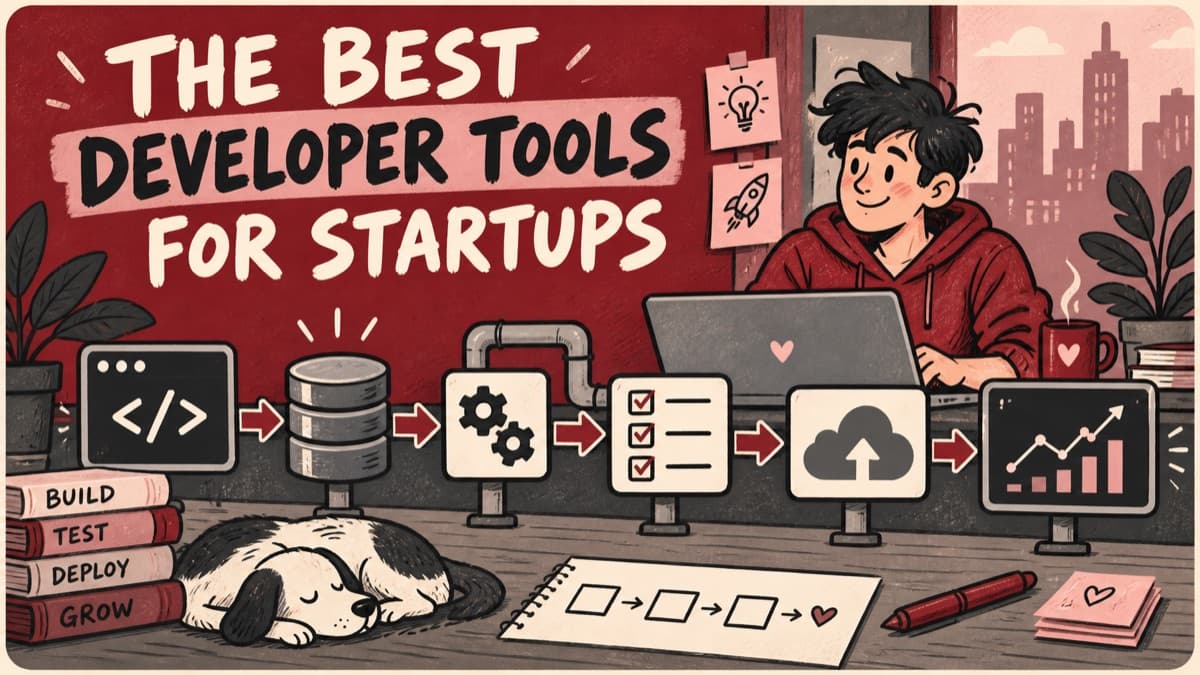
A practical default startup stack is GitHub for source collaboration, VS Code for a flexible editor, Docker for repeatable environments, Supabase for an integrated backend, Vercel for web deployment, Sentry for error monitoring, PostHog for product analytics, and Clerk for managed authentication. Do not adopt all eight automatically: keep the tools that remove operational risk for your actual architecture and team. Startup infrastructure becomes fragile when every interesting tool turns into a permanent dependency. This comparison covers one option per major job so a small team can evaluate source control, deployment, identity, observability, and product data without adopting an oversized stack.
Compare developer tools for startups
| Product | Best for | Pricing |
|---|---|---|
| GitHub | Source control, review, and project collaboration | Free plan; paid Team and Enterprise plans |
| Visual Studio Code | A flexible general-purpose code editor | Free |
| Docker | Repeatable local and deployment environments | Open-source engine; Docker Desktop terms vary by organization |
| Supabase | A Postgres-centered backend with integrated services | Free plan; paid plans and usage charges |
| Vercel | Deploying modern web applications with minimal operations | Free Hobby plan; paid Pro and Enterprise plans |
| Sentry | Finding and diagnosing production failures | Free developer plan; paid plans scale with usage and features |
| PostHog | Product analytics with a broad experimentation toolkit | Usage-based free allowances and paid products |
| Clerk | Managed authentication and polished account interfaces | Free development allowance; paid usage and business features |
Pricing was checked against official product pages on September 20, 2026. Prices are in USD unless noted and can change; taxes, annual commitments, usage charges, and regional pricing may apply.
How we selected these products
RareWeb assessed onboarding cost, free-tier usefulness, documentation, integration depth, security posture, portability, operational burden, and the point at which each product becomes expensive or constraining. Recommendations favor tools a small team can operate responsibly, not the largest possible feature set. Pricing descriptions link to official sources and should be rechecked before adoption.
Best developer tools for startups
GitHub
Source control, review, and project collaboration.
GitHub combines repository hosting, pull requests, automation, security features, and a large integration ecosystem. It is the least surprising default for a startup collaborating around Git. Repositories, pull requests, Actions, issues, security scanning, releases, and a large integration market cover the central collaboration loop without requiring a startup to assemble every part separately. The free plan is sufficient for many early teams, while the inexpensive Team tier adds review and branch controls at the point where shared production code needs stronger governance.
Plans and pricing
Free includes unlimited public and private repositories. Team costs $4 per user per month and adds protected branches, code owners, additional Actions minutes, and collaboration controls. Enterprise is $21 per user per month for the first 12 months and adds enterprise identity, security, deployment, and support options; metered services remain separate.
Keep in mind
Concentrating source, automation, and planning in one vendor increases dependency and requires careful access controls.
Visual Studio Code
A flexible general-purpose code editor.
VS Code supports most mainstream development stacks through a broad extension ecosystem while remaining familiar to many engineers. Teams can standardize recommendations without forcing an identical environment. Language support, debugging, source control, remote development, and a broad extension ecosystem make one editor adaptable across frontend, backend, data, and infrastructure work. Workspace recommendations and settings can standardize a useful baseline while still allowing engineers to keep personal keybindings and workflows instead of enforcing an identical IDE image.
Plans and pricing
VS Code is free for private and commercial use. There is no paid editor tier; costs come from optional third-party extensions, hosted development environments, AI assistants, or enterprise tooling that a team chooses to connect.
Keep in mind
Extension quality and permissions vary, and an unmanaged setup can produce inconsistent or insecure development environments.
Docker
Repeatable local and deployment environments.
Containers reduce environment drift and provide a common packaging model across development and deployment. They are particularly valuable when an application has several services or native dependencies. A versioned image captures system dependencies and runtime assumptions, reducing the familiar gap between a developer laptop, continuous integration, and production. Compose gives multi-service applications a repeatable local entry point, which is valuable when onboarding a small team or reproducing bugs that depend on infrastructure.
Plans and pricing
Personal is free under Docker's licensing terms. Pro costs $11 monthly or $9 per month billed yearly. Team costs $16 per user monthly or $15 yearly; Business uses organization-focused commercial terms. Paid plans add private repositories, Build Cloud, security analysis, administration, and commercial Docker Desktop rights for organizations that exceed free-use thresholds.
Keep in mind
Containers add their own build, security, networking, and debugging complexity and are unnecessary for some simple deployments.
Supabase
A Postgres-centered backend with integrated services.
Supabase packages Postgres, authentication, storage, realtime capabilities, and server functions behind a coherent developer experience. The underlying database provides a more familiar escape route than many proprietary backends. Postgres, authentication, object storage, realtime, APIs, and functions share one project model, letting a small team build a real backend without operating each service independently. Using Postgres as the core data store preserves familiar SQL, backup, and migration paths even when the team benefits from Supabase's managed developer experience.
Plans and pricing
Free is $0 with two projects and capped database, storage, authentication, and function allowances. Pro is $25 per organization monthly and includes $10 of compute credit; Team is $599 monthly and Enterprise is custom. Database size, compute, egress, active users, storage, and add-ons can create usage charges beyond the plan fee.
Keep in mind
Using every bundled service creates platform coupling, and production capacity and security still require deliberate configuration.
Vercel
Deploying modern web applications with minimal operations.
Vercel provides fast preview deployments, managed delivery, and deep support for common frontend workflows. It is especially productive for teams already aligned with its supported web framework ecosystem. Git-connected preview deployments give every change a reviewable URL, tightening the loop between engineering, design, product, and stakeholder approval. Managed delivery, certificates, caching, rollbacks, and framework-aware builds remove substantial operational setup for web applications whose architecture fits the platform well.
Plans and pricing
Hobby is free for personal projects and includes base deployment, CDN, firewall, and usage allowances. Pro is $20 per developer seat monthly with a $20 usage credit and commercial collaboration features. Enterprise is custom. Compute, observability, analytics, data transfer, protection, and add-ons can be billed beyond the base plan.
Keep in mind
Usage-based costs and platform-specific behavior should be modeled before high traffic or compute-heavy workloads.
Sentry
Finding and diagnosing production failures.
Sentry connects exceptions and performance problems to releases, traces, and affected users. That context helps a small team prioritize real production failures rather than relying on support reports. Stack traces become more actionable when connected to releases, source maps, breadcrumbs, traces, replays, and the users affected by a regression. Alerts and ownership rules help a small team focus on new or high-impact failures instead of searching raw logs after a customer reports that something broke.
Plans and pricing
Developer is free for a small user and event allowance. Team and Business introduce larger event volumes, longer retention, advanced tracing, profiling, dashboards, and organizational controls, while Enterprise is custom. The bill depends heavily on error, transaction, replay, and attachment volume, so sampling and filters are part of cost control.
Keep in mind
Noisy instrumentation and poorly controlled event volume can obscure important errors and increase cost.
PostHog
Product analytics with a broad experimentation toolkit.
PostHog combines event analytics, session replay, feature flags, experiments, and related product tooling. It can reduce early vendor sprawl for teams prepared to define a disciplined event model. Analytics, replay, flags, experiments, surveys, and data tools share one event foundation, reducing early vendor sprawl and making investigation easier across product questions. The generous allowances let a startup validate its tracking model before paying, while self-hosting and export options provide more control than many closed analytics platforms.
Plans and pricing
PostHog uses product-specific usage pricing with free monthly allowances for analytics events, session recordings, feature flags, experiments, surveys, data pipelines, and related tools. There is no single upgrade price: costs begin when a product crosses its allowance, so forecast each data stream separately and set billing limits.
Keep in mind
The breadth is substantial, and careless event collection creates privacy, cost, and data-quality problems.
Clerk
Managed authentication and polished account interfaces.
Clerk provides authentication, session handling, organizations, and prebuilt user interfaces that can save an early team significant security-sensitive implementation work. Prebuilt sign-in, sign-up, profile, organization, and session interfaces remove a large amount of repetitive security-sensitive frontend and backend work. SDKs and middleware for popular application frameworks make authentication state easier to use consistently across pages, APIs, server rendering, and organization-aware products.
Plans and pricing
The free plan covers development and an initial monthly-active-user allowance. Pro begins with a base subscription and then usage charges as active users grow; Business adds advanced security, support, and organizational capabilities, and Enterprise is custom. SMS, verification, and add-on features can be billed separately.
Keep in mind
Identity is a deep dependency; migration, pricing at scale, regional needs, and customization limits should be reviewed early.
Decision guide
How to choose
- 01
Select the database and identity model before optimizing developer convenience. Those decisions become harder to reverse than an editor, issue tracker, or analytics interface.
- 02
Define a monthly cost scenario for current usage, ten-times usage, and abusive traffic. Free tiers are onboarding mechanisms, not long-term architecture guarantees.
- 03
Keep infrastructure documentation in the repository and test backups, restores, access revocation, and failure alerts before the product needs them under pressure.
FAQs
Common questions
It can be sensible while the product is small, provided the team understands export paths, pricing, security boundaries, and which services are proprietary. Convenience should not eliminate recovery planning.